Microsoft Project Online will retire on September 30, 2026. We’ve compared the top eight Microsoft Project Alternatives for 2026 to help you prepare for your team’s transition.
Here’s how each of these tools stands out:
Smartsheet is best for cross-functional, operational, or PMO-led teams that need Microsoft Project-style Gantt scheduling with stronger collaboration, automation, and reporting.
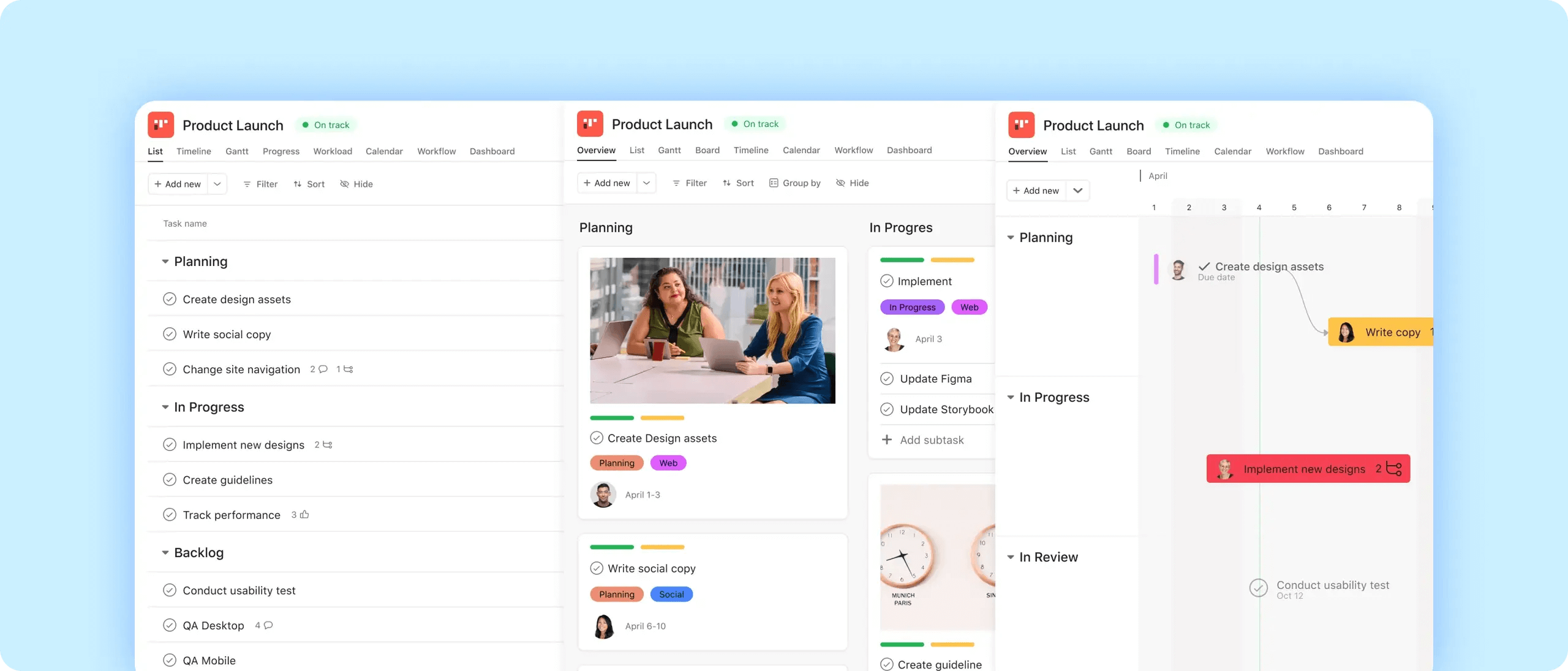
Asana is best for project-oriented teams that want a simpler alternative to Microsoft Project, with task-level collaboration, automation, and portfolio visibility.
ClickUp is best for teams that want a simpler alternative to Microsoft Project with a focus on collaboration and productivity rather than a traditional, PMO-centric scheduling tool.
Microsoft Planner is best for Microsoft 365-centric teams that need a task-first alternative for lightweight planning, team coordination, and visibility inside Microsoft Teams.
monday.com is best suited for cross-functional teams that want Microsoft Project-style timeline visibility, but prioritize ease of use over PMO-grade scheduling rigor.
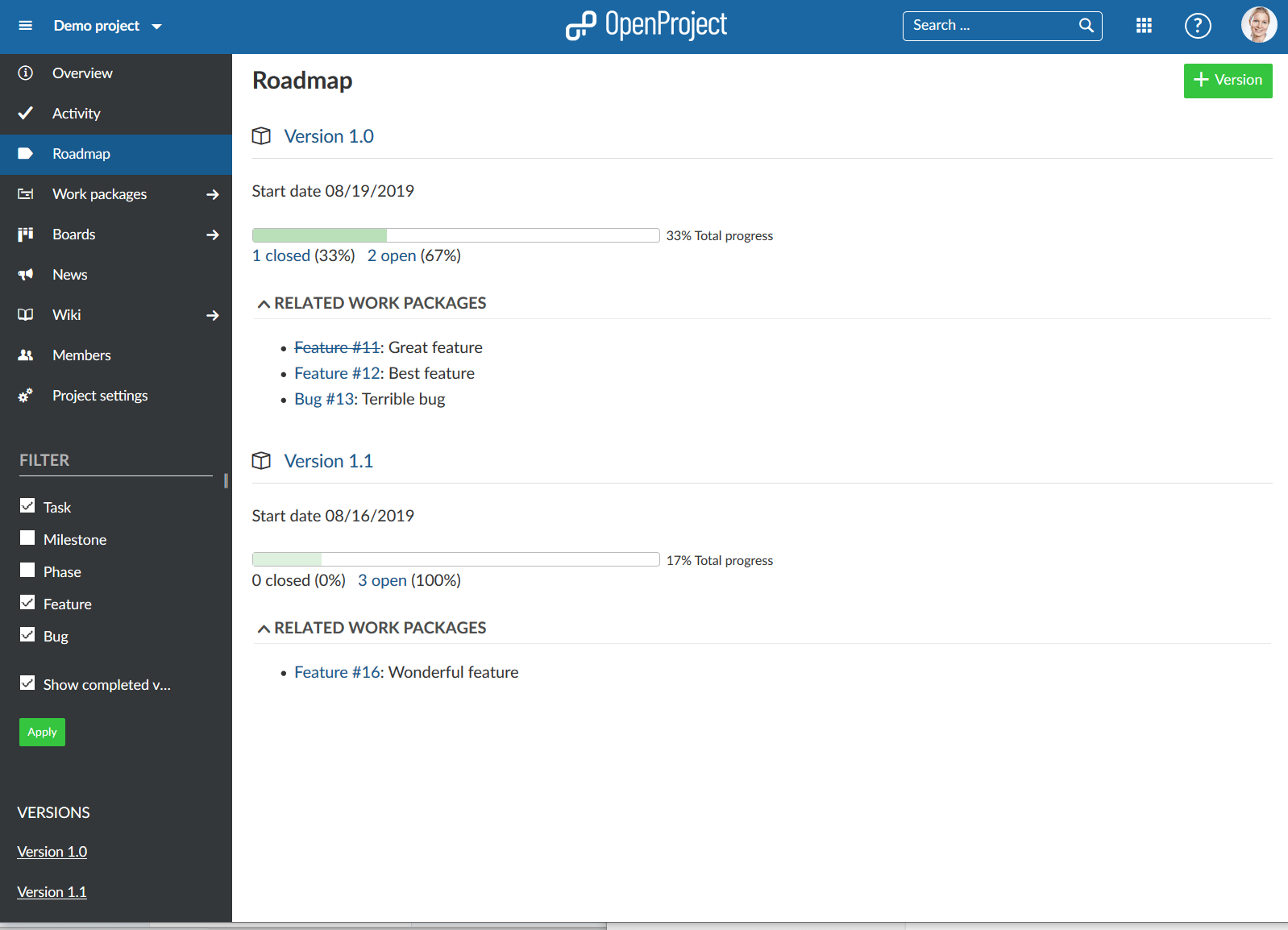
OpenProject is a Microsoft Project alternative for engineering, IT, and public-sector teams that need an open-source environment that can be used for Agile and traditional waterfall project management methodologies.
Wrike is a good alternative for cross-functional or PMO-led teams that need enterprise-grade security, built-in AI assistance, and flexible views, without the rigidity of a tool specifically built for professional project managers.
Zoho Projects is a solid alternative for small to mid-sized teams that need Gantt-based planning, multiple work views, and enterprise security, without the complexity of a PMO scheduling tool.
Whatever your team’s most important features may be, this guide can help you make the case for switching from Microsoft Project.
Smartsheet
Smartsheet is a powerful alternative to Microsoft Project Online. The intelligent work management platform combines ease of use with enterprise-grade project controls. Unlike the rigid structure of Microsoft Project, Smartsheet offers a flexible environment where teams can switch instantly between Grid, Gantt, Card, Board, and Timeline views without losing data integrity and collaborate seamlessly across teams and departments.
Here are some features available to Smartsheet users:
Cross-sheet formulas and cell linking
No-code automated workflows, including update requests and approval requests
Unlimited free viewers on any plan and free guests on Business, Enterprise, and Advanced Work Management plans, plus published sheets, reports, and dashboards for read-only access
Smart Columns that apply AI directly within sheets to categorize data, analyze sentiment, translate text, and extract structured information from cells
Enterprise-grade security controls including SSO (SAML/OAuth), role-based permissions, encryption at rest and in transit, audit logs, data retention controls, and optional customer-managed encryption keys
Low-barrier project setup using tables and inline editing instead of rigid project schemas
Interactive Gantt charts with drag-and-drop scheduling, task dependencies, milestones, and baselines
Dashboards that are updated in real time
Multiple synchronized views (Grid/Table, Gantt, Timeline, Board, Card, Calendar) on the same project data without duplication or restructuring
Native import of Microsoft Project files (.mpp, .mpx, .mspdi, .xml) into new sheets Export function to PDF, Excel, Google Sheets, and Microsoft Project (XML) for reporting and interoperability
What sets Smartsheet apart from other alternatives is its ability to scale portfolio governance through the Control Center, which automates project provisioning and global updates across hundreds of active sheets simultaneously. The enterprise-grade, purpose-built platform centralizes work, automates processes, and eliminates the need to piece together multiple Microsoft tools. Smartsheet also uses DataTable to bridge the gap between project management and data science. This allows teams to manage millions of rows and sync them with external systems like SAP or Salesforce via Data Shuttle. These native automations and no-code workflows, such as automated approval requests and cross-sheet cell linking, provide a level of real-time collaboration and data interoperability that traditional project tools often lack.
Asana shifts the focus from rigid, top-down scheduling to more collaborative, task-based team execution. Where Microsoft Project stores work in isolated files, Asana's Work Graph makes work inherently relational, which connects tasks, owners, and dependencies across teams in a single shared data layer. Asana’s architecture ensures that every stakeholder remains aligned within a single workspace.
Here are some features available to Asana users:
Security features including SSO, SCIM, audit logs, data residency, encryption, and admin controls
Task list–first interface with optional board, calendar, and timeline project views with customizable fields and saved layouts
Interactive Timeline (Gantt) view with drag-and-drop scheduling for task management and dependency-based auto-adjustments
CSV exports for projects and organizational data
Standardized work requests with custom forms that feed directly into projects
Asana offers multi-homing, a feature that allows a single task to exist in multiple projects simultaneously so that updates sync instantly. Unlike the static reporting in Microsoft Project, Asana offers native Goals that update automatically based on real-time task progress. AI Studio also allows teams to build custom no-code agents to automate workflows.
ClickUp consolidates project and task management, document collaboration, and scheduling into a single platform. While Microsoft Project often requires specialized training and is tailored for structured, top-down planning, ClickUp is designed for teams that require both collaboration and simplified task management.
Here are some features available to ClickUp users:
Unlimited free guests with view-only access on paid plans
AI-powered custom fields that can automatically generate summaries, categorize tasks, translate content, and create updates within columns
Security including SOC 2 compliance, SSO and SCIM provisioning, permissions, and regional data residency options available
Drag-and-drop editing, column pinning, and inline updates
Interactive Gantt view with drag-and-drop timelines, task dependencies, and real-time schedule adjustments
Export capabilities for tasks, views, dashboards, and Docs to formats including PDF, CSV/Excel, HTML, and Markdown
ClickUp offers powerful features such as an interactive Gantt view with real-time dependency shifting and native time tracking, eliminating the need for the fragmented toolsets often paired with Microsoft Project. The platform’s ClickUp Brain AI automates status updates and summarizes task data.
Microsoft Planner
Microsoft Planner is a task-first alternative to Microsoft Project, designed for teams that require organization without the steep learning curve of traditional PM software. It works for collaborative business teams, marketing groups, and operational units. It offers users quick setup, low overhead, and a familiar Microsoft 365 interface.
Here are some features available to Microsoft Planner users:
Options for external guests to be added as users to view and collaborate on tasks
Enterprise security, compliance, and data protection controls, including identity management, access controls, and governance covered by Microsoft Product Terms
Familiar Microsoft 365 interface that is deeply integrated into Microsoft Teams
Task-first tool designed for quick setup and low overhead
Board, Grid, Schedule, Charts, with Timeline, People, and Goals views available
Plan and exports to Excel
The platform’s greatest advantages are its unified task aggregation and the Premium capabilities unlocked with a Premium license, such as the interactive Timeline (Gantt) view, task dependencies, and portfolios. Planner shows up directly in Microsoft Teams providing real-time collaboration.
monday.com
monday.com is a work management platform designed for cross-functional teams that prioritize visual clarity and rapid adoption. While Microsoft Project is built for specialized project managers handling traditional Waterfall schedules, monday.com is for operationally diverse teams who need to collaborate in real time without extensive technical training.
Here are some features available to monday.com users:
Guest collaboration via Shareable Boards
AI-powered column actions and AI blocks that can generate, summarize, classify, and refine content directly within boards
Enterprise-grade security with ISO 27001, SOC 1/2/3, GDPR, HIPAA, and CCPA compliance
Familiar row and column-based interface
No-code, drag-and-drop experience to build workflows, automations, and views
Interactive Gantt Chart view that updates dynamically
Customizable board views per board, including Table, Gantt, Kanban, Calendar, Dashboard, and Workload views
Board exports to Excel; dashboards and Workdocs exports to PDF; full account data exports via ZIP files
monday.com has integrated AI Blocks to automate complex tasks like risk identification, and the generation of entire project plans from natural language prompts. It offers over 200 vertical-specific templates and interactive Gantt charts that dynamically sync with a wide array of visual views, including Kanban, Workload, and Dashboards. Monday workdocs also allow teams to embed live project widgets directly into collaborative documents.
OpenProject is an open-source alternative to Microsoft Project. It’s suitable for security-conscious organizations, public sector entities, and complex industries like construction that demand full control over their data and project methodologies. By offering both cloud and self-hosted on-premises deployment, it provides a level of digital sovereignty.
Here are some features available to OpenProject users:
Enterprise-grade security features including enforced two-factor authentication, SAML single sign-on and LDAP integration, encrypted data in transit and at rest, and regular cloud backups
Configurable columns, filters, hierarchies, grouping, timelines, calendars, and reporting alongside optional board-style views for Agile teams
Interactive Gantt chart module
Custom views across tables, boards, calendars, team planners, and Gantt charts
Work package, report, and timeline exports to PDF, Excel, and CSV, including printable Gantt charts and time-and-cost reports
OpenProject boasts its flexibility in offering an open source project management tool with both cloud and self-hosted options and a great option for organizations that require strict data security and control over their data.
Wrike bridges the gap between large-scale enterprise planning and Agile team execution. It is well-suited for cross-functional teams in marketing, professional services, and PMOs that require high-level visibility without the siloed nature of traditional legacy tools.
Here are some features available to Wrike users:
Free viewers with varying levels of collaboration for different kinds of stakeholders
Built-in generative AI for creating and editing task descriptions, project plans, summaries, and comment digests
Role-based access control, selective sharing, double encryption, customer-managed encryption keys, and enterprise compliance certifications (SOC 2 Type II, ISO standards)
Table view and familiar Kanban boards, along with List, Gantt, Calendar, and Dashboard views
Drag-and-drop boards, structured tables, and configurable views intended to reduce complexity
Interactive Gantt charts with dependencies, critical path analysis, baselines, and snapshots for schedule tracking
Direct import of Microsoft Project files (.MPP, .MPX, .XML), preserving tasks, durations, dependencies, and owners
Support for exporting Gantt charts and reports to PDF and task data to Excel
Wrike features cross-tagging, which allows a single task to live in multiple projects simultaneously, eliminating duplicate work and data silos. The platform also offers AI features through Work Intelligence, including AI-driven intake and triage. For enterprise-grade control, Wrike provides the Wrike Lock add-on, giving organizations the ability to manage their own encryption keys for data stored in the cloud.
Zoho Projects is an alternative to Microsoft Project, offering a lower barrier to entry for teams that need powerful but intuitive scheduling. It is well-suited for mid-sized to enterprise teams in construction, software development, and marketing that require a balance between traditional planning and collaborative flexibility.
Here are some features available to Zoho Projects users:
Zia AI assistant for insights and generative assistance
Security features including SAML-based SSO, multi-factor authentication, IP restrictions, and directory integrations
List, Gantt, Kanban, and Calendar project management views
Interactive Gantt chart with task dependencies, critical path analysis, baselines, and timeline controls
Data imports from Microsoft Project
Report and project data exports to PDF and Excel (XLS), with CSV support in some modules
The platform allows direct imports of Microsoft Project MPP files (2003, 2007, 2010, 2013 and 2016), ensuring that complex project data remains intact during migration. Once imported, teams can leverage features like interactive Gantt charts with critical path analysis and project baselines, alongside the Zia AI assistant for predictive task insights.
SOC 2 Type II, SOC 3, ISO 27001, ISO 27017, ISO 27018, ISO 27701, GDPR, HIPAA
✓
List, Board, Calendar, Timeline / Gantt
✓
ClickUp
SOC 2 Type II, ISO 27001, ISO 27017, ISO 27018, PCI DSS, HIPAA
✓
Gantt, Board, Calendar
✓
✓
Microsoft Planner
SOC 1/2, ISO 27001, ISO 27018, HIPAA, FISMA, HITRUST, IRS 1075
✓
Board, Grid, Schedule, Charts, with Timeline, People, Goals
✓
Excel
monday.com
SOC 1, SOC 2 Type II, SOC 3, ISO 27001, ISO 27017, ISO 27018, ISO 27701, HIPAA
✓
Table, Gantt, Kanban, Calendar, Workload
✓
✓
OpenProject
SOC 2 Type II, ISO 27001, TISAX
✓
Table, Board, Calendar, Team Planner, Gantt
Requires additional step
✓
Wrike
SOC 2 Type II, ISO 27001, ISO 27017, ISO 27018, ISO 27701, HIPAA
✓
Table, Kanban, List, Gantt, Calendar
✓
✓
Zoho Projects
SOC 2 Type II, ISO 27001, ISO 27017, ISO 27018, ISO 27701, HIPAA, PCI DSS
✓
List, Gantt, Kanban, Calendar
✓
✓
Project Management Functionality: An Expert’s View
Ian Reynolds is a partner at Zibtek, LLC, a global software development and digital marketing firm based in Utah. The company employs more than 200 engineers in the United States, the Philippines, and India, and creates high-performance software and web applications for companies ranging from enterprises to small businesses.
Because of the company’s far-flung workforce and its multiple projects, it’s critical for it to have a versatile, reliable project management tool.
“If a tool doesn’t have what we need to coordinate and run our projects well, it’s not going to work over the long haul.”
— Ian Reynolds, partner, Zibtek, LLC
Reynolds polled his employees, and they said they think the most critical functionality in any project management tool includes:
Calendar for tracking features
Gantt chart functionality
Ability to easily move tasks around to change priorities
Due dates
Ability to assign to specific people
Links to email to get notifications
Communication feature (i.e., chatting)
Screen sharing and recording
Easy file uploading
Discover Smartsheet: the Microsoft Project Alternative Your Team Will Actually Use
Empower your people to go above and beyond with a flexible platform designed to match the needs of your team — and adapt as those needs change.
The Smartsheet platform makes it easy to plan, capture, manage, and report on work from anywhere, helping your team be more effective and get more done. Report on key metrics and get real-time visibility into work as it happens with roll-up reports, dashboards, and automated workflows built to keep your team connected and informed.
When teams have clarity into the work getting done, there’s no telling how much more they can accomplish in the same amount of time. Try Smartsheet for free, today.
Disclaimer: The information found in this comparison article is sourced from vendor websites, community boards, and some third-party user reviews. AI tools were used to help conduct research.
Discover why over 85% of Fortune 500 companies trust Smartsheet to get work done.