Article
Add or remove non-plan users on the Seat types and true-up page
October 14, 2026
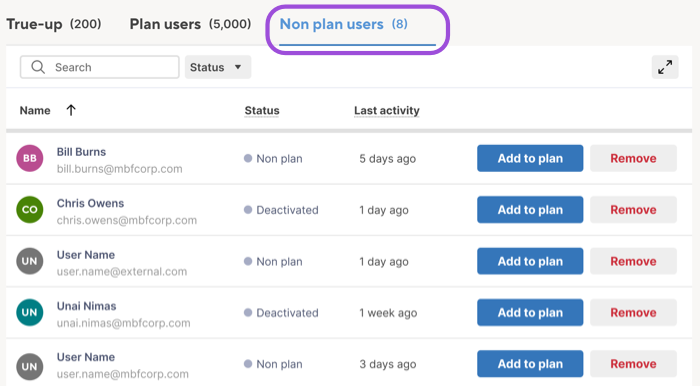
You can now add users to your plan or remove them from your organization from the Non plan users tab on the Seat types and true-up page in Admin Center. The tab lists users who belong to your organization but aren't on your plan, and users deactivated on your plan more than 30 days ago, in one place.
For more information, see Add users, Remove users, and Manage seat types.
Environment Availability: Commercial US, Commercial EU, Commercial AU
Plan Availability: Pro, Business, Enterprise
Subscription Model Availability: User model