Article
Changes to AI-powered help in Smartsheet

January 15, 2026
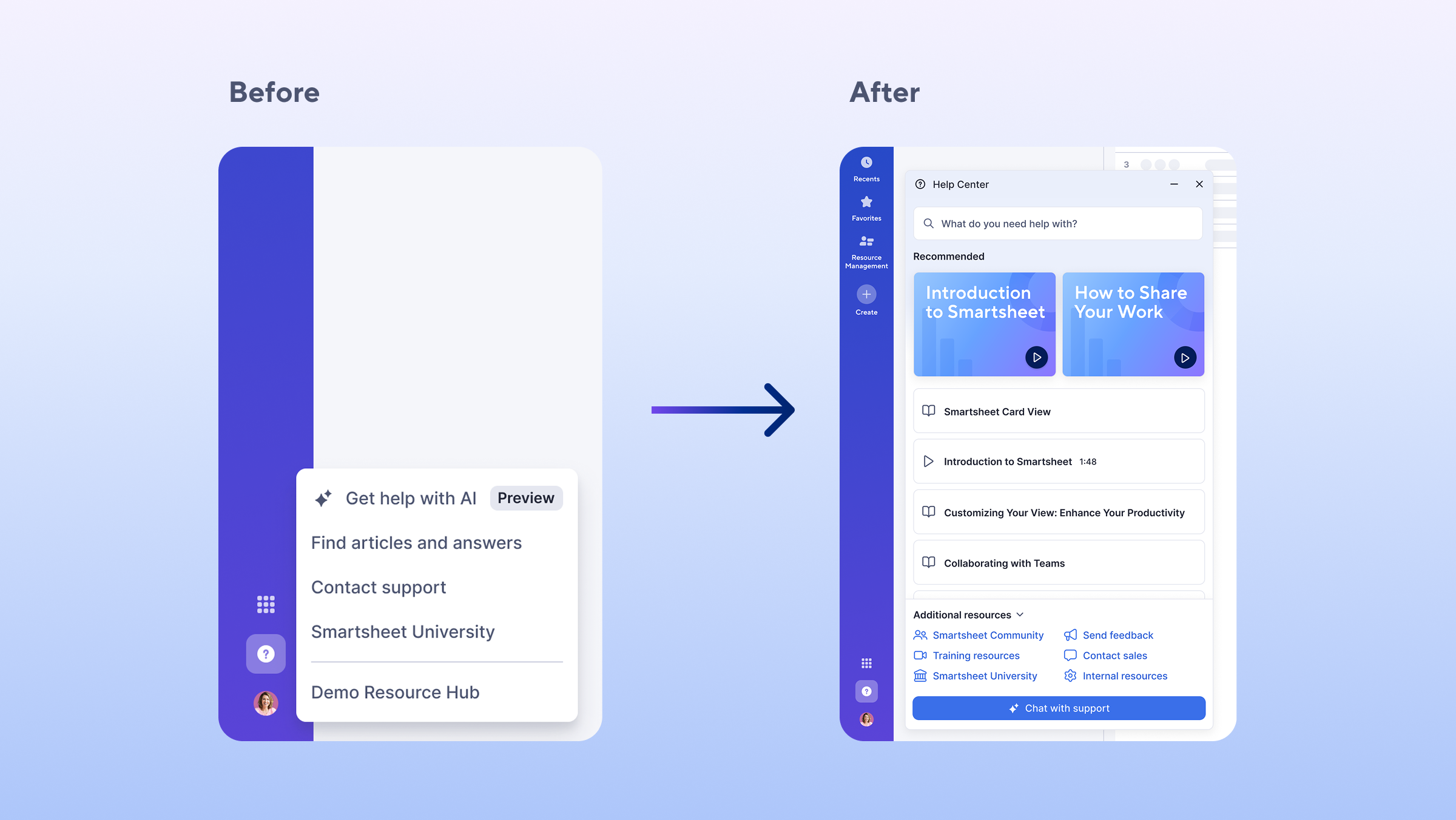
To streamline how you find answers and engage with Support within Smartsheet, we’re updating our in-app help options. Previously, enterprise customers could access on-the-spot guidance using our get help AI tool. We’ve removed get help as a standalone tool, and we’re now offering on-demand, AI-powered help to all users within our new in-app Help Center.
Open the in-app Help Center by clicking the ‘?’ icon in the lower left-hand corner of your Smartsheet window, and click ‘Chat with support’ to immediately connect with AI-powered assistance. If you need more support, you can also utilize your support plan benefits—such as Pro Desk sessions, phone support, or connecting with a live agent—within the same window. Learn More.
Note: Customers using the Smartsheet EU environment will now be able to access on-demand AI-powered help by clicking the ‘?’ icon and selecting ‘Contact support.’
Environments availability: Commercial US, Commercial EU, Commercial AU
Plan availability: All plans
Subscription Model Availability: Both Legacy Collaborator Model and User Model