Article
Create and apply sensitivity labels to sheets
November 4, 2026
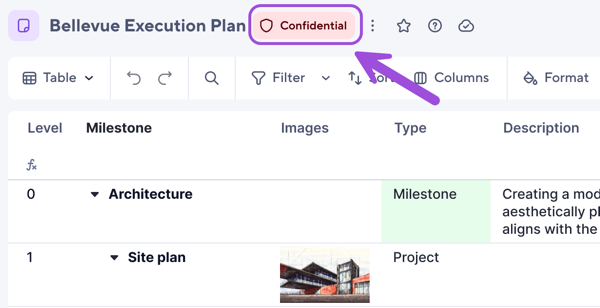
You can now create sensitivity labels in Admin Center and apply them to sheets. Each label appears next to the item name to show how sensitive the item is and how to handle it, and reports and dashboards show the most sensitive label from their underlying sources.
For more information, see Data classification overview, Create and publish sensitivity labels, and Manage sensitivity labels on sheets, reports, and dashboards.
Environment Availability: Commercial US, Commercial EU, Commercial AU
Plan Availability: Enterprise (Safeguard), Advanced Platinum
Subscription Model Availability: User model, legacy model