Article
File upload in Smart Assist now generally available!
July 17, 2026
You can now bring your content directly into your conversation.
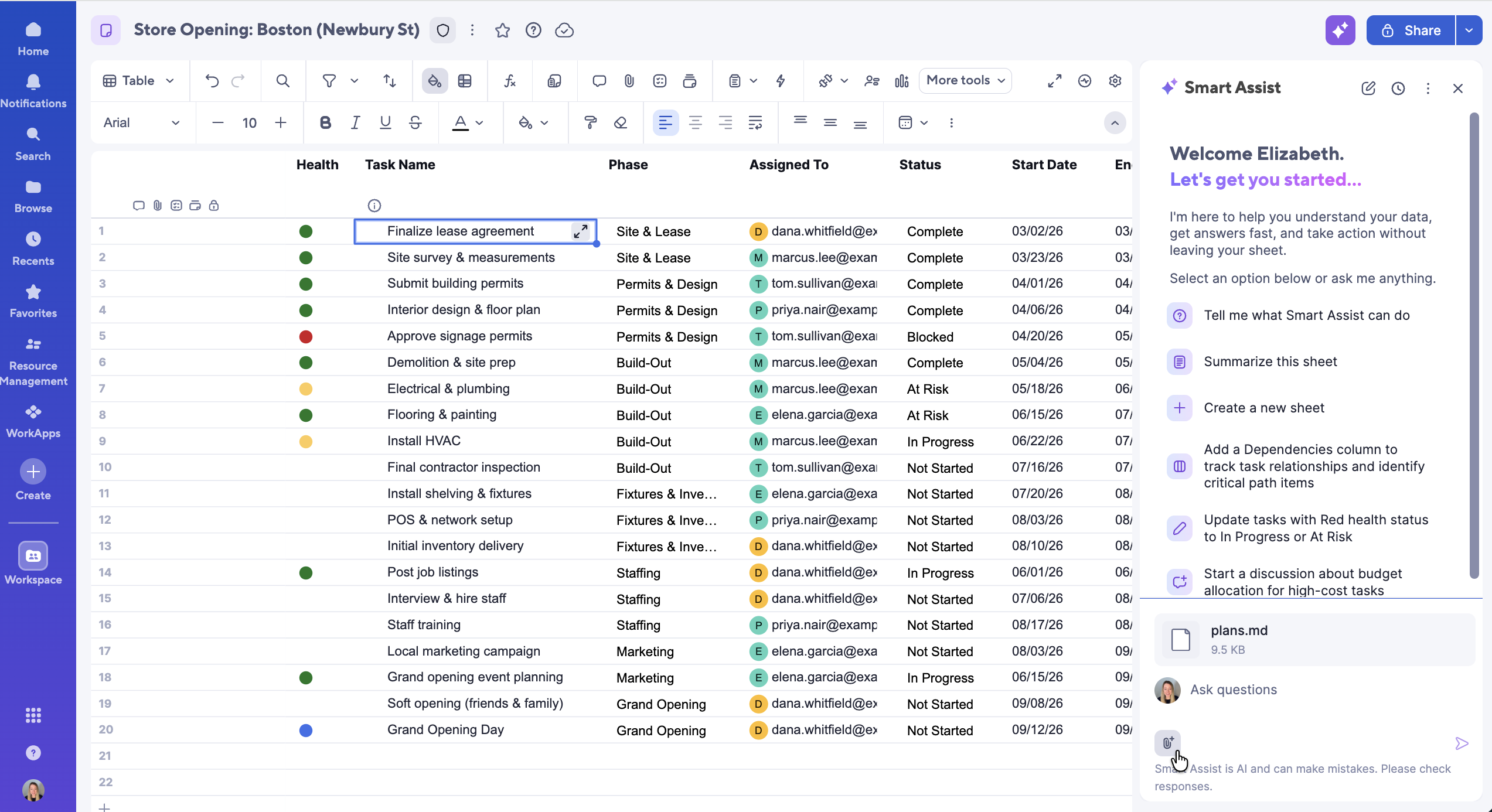
Smart Assist now allows you to upload the files you work with every day — transcripts, documents, images, PDFs — directly into your chat. Smart Assist will process your content on your behalf, suggest next steps for approval, and can then take action on your sheet for you.
What you can now do with Smart Assist:
- Transcripts → tasks — Upload a transcript; Smart Assist extracts action items and proposes new rows/updates.
- Bulk edits — Upload an invoice; Smart Assist matches each line to the right row and suggests edits.
- Spreadsheet ingestion — Upload a .csv to update rows or populate your sheet.
Reference content — Upload briefs, assets, and working files (images, PDFs, text files) into a campaign sheet for reference and downstream actions. Tell Smart Assist specifically what you want to do with each file, and it will recommend actions and make updates for you.
Additional details:
- Supported file types: PDF, .txt, PNG, JPG, .vtt, .csv, .md, .gif
- Supported file size: Limit of 3.75 MB for images; 4.5 MB for all other files
- Guardrails: All uploads are antivirus-scanned; malicious files are blocked.
- Sharing: Files are only in chat during the time of upload and are scoped to each user's own chat session. Once the panel is closed, the file is deleted from the chat history.
Environments availability: Commercial US, Commercial EU, Commercial AU
Plan availability: Pro, Business, Enterprise, Advanced Work Management
Subscription Model Availability: Legacy Collaborator Model and User Model