Article
Manage your sheet and row attachments in table view
October 26, 2026
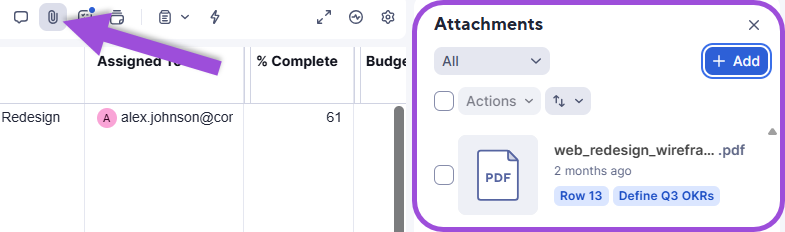
You can now download, delete, and send attachments in bulk, attach files to the entire sheet, add links from services like Google Drive and Dropbox, and drag and drop files onto rows in table view. Use the revamped Attachments panel to manage your sheet attachments in one place.
For more information, see the following articles:
- Attach files to a sheet or report
- View and download attachments
- Delete an attachment from a sheet or report
- Attach a file or link from an online resource
- Share a Smartsheet attachment through email
Environment Availability: Commercial US, Commercial EU, Commercial AU
Plan Availability: Pro, Business, Enterprise, Advanced Work Management
Subscription Model Availability: Legacy Collaborator and User Model