Article
Use bidirectional sync in your Dynamics 365 workflow
November 12, 2026
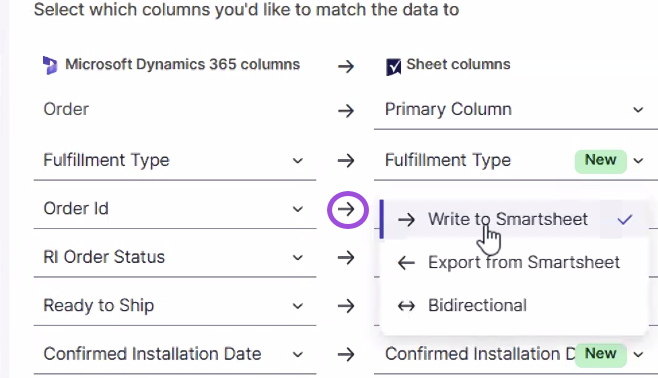
You can now sync Dynamics data in both directions in a single workflow, choose a sync direction for each mapped field, and set separate filters for Dynamics and Smartsheet.
For more information, see Create a Dynamics 365 integration.
Environment Availability: Commercial US, EU, and AU
Plan Availability: Enterprise, Advanced Work Management
Subscription Model Availability: Legacy model and User model